⭐ Get more 5-star reviews starting today — no subscription required.
👉 Tap to set up your GrayTap system in minutes.


How to set up a Review profile
All Tap Tags have the ability to capture reviews on popular review platforms. Follow the steps on this page to scan your Tap Tag and set up its profile.
What is it? A Review profile allows you to add and manage the URL of any review platform like Google, Trustpilot, Tripadvisor, and many more. By setting up your Tap Tag as a review profile, you can easily send clients to any review page of choice.
The landing page destination is fully customizable, and can be managed in realtime from any device. Editing your profile updates all connected Tap Tag products in unison.
Tips:
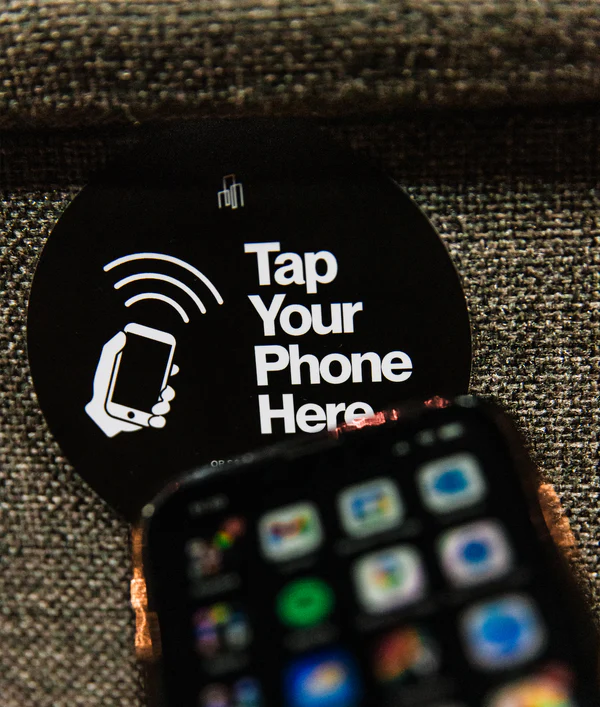
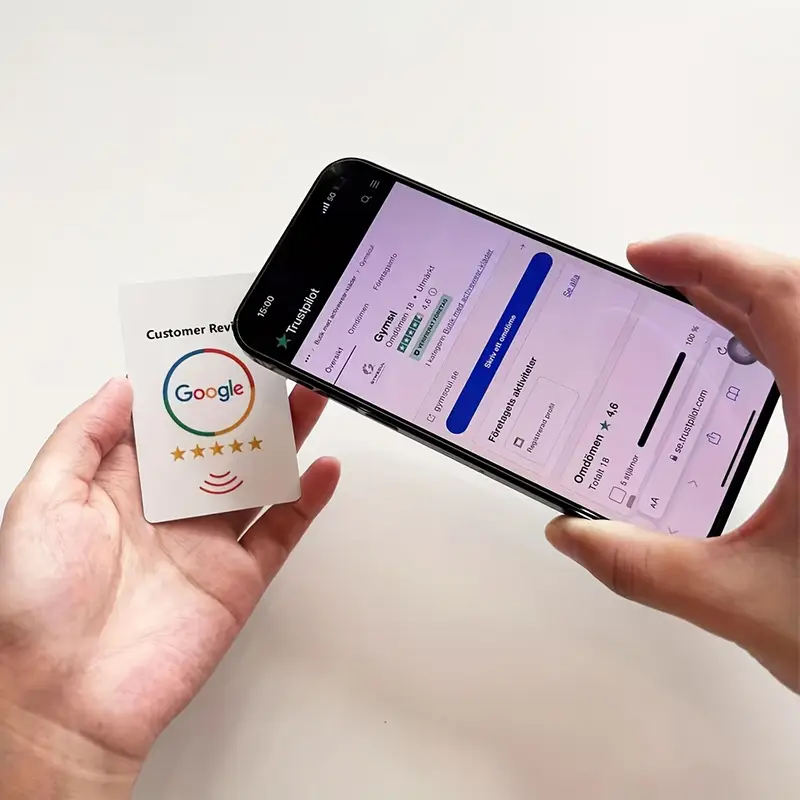
- View the image to ensure your are holding the Tap Tag in the right spot on your smartphone.
- Make sure your screen is unlocked
- Hold Tap Tag in the scan area for at least one second
- For android phones, ensure NFC is turned ON in settings (near bluetooth and wifi)
- Metal Cards scan from the backside only where the chip is exposed
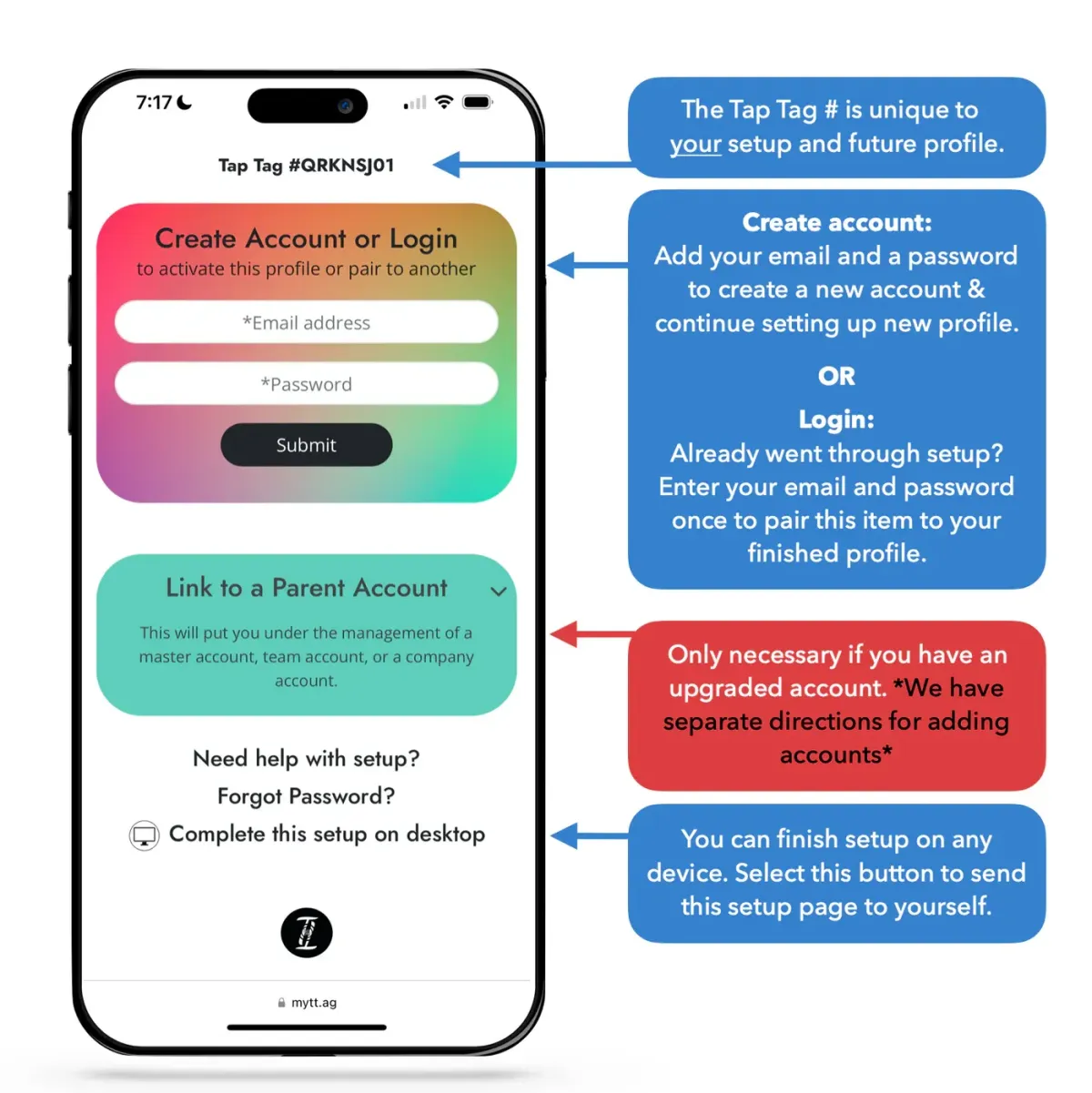
Step 1:
Scan Your Item To Enter Setup Mode
COLLECT REVIEWS DIRECTLY ON YOUR GOOGLE BUSINESS PAGE.
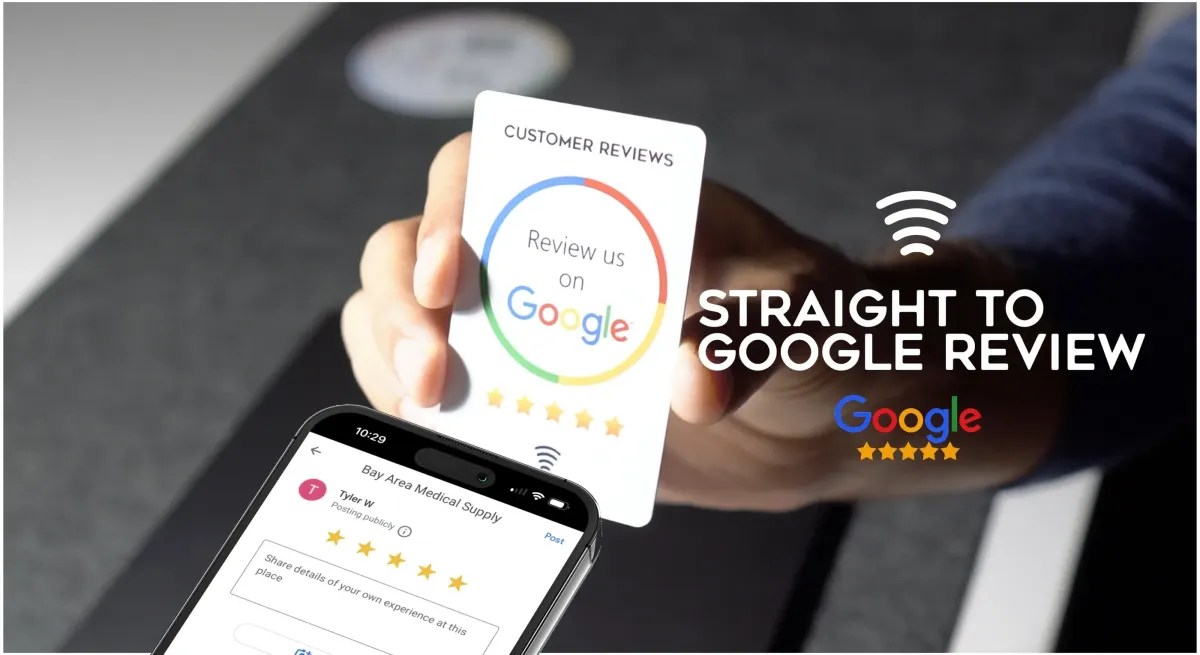
Set up your Tap Tag so anyone who taps it with their smartphone is taken directly to your Google Business page, where they can leave a 5-star review in just a few seconds.
Available for all free and Review+ customers.
Step 2:
Add Your Name
Okay, this page is 🍰. Next!
Step 3:
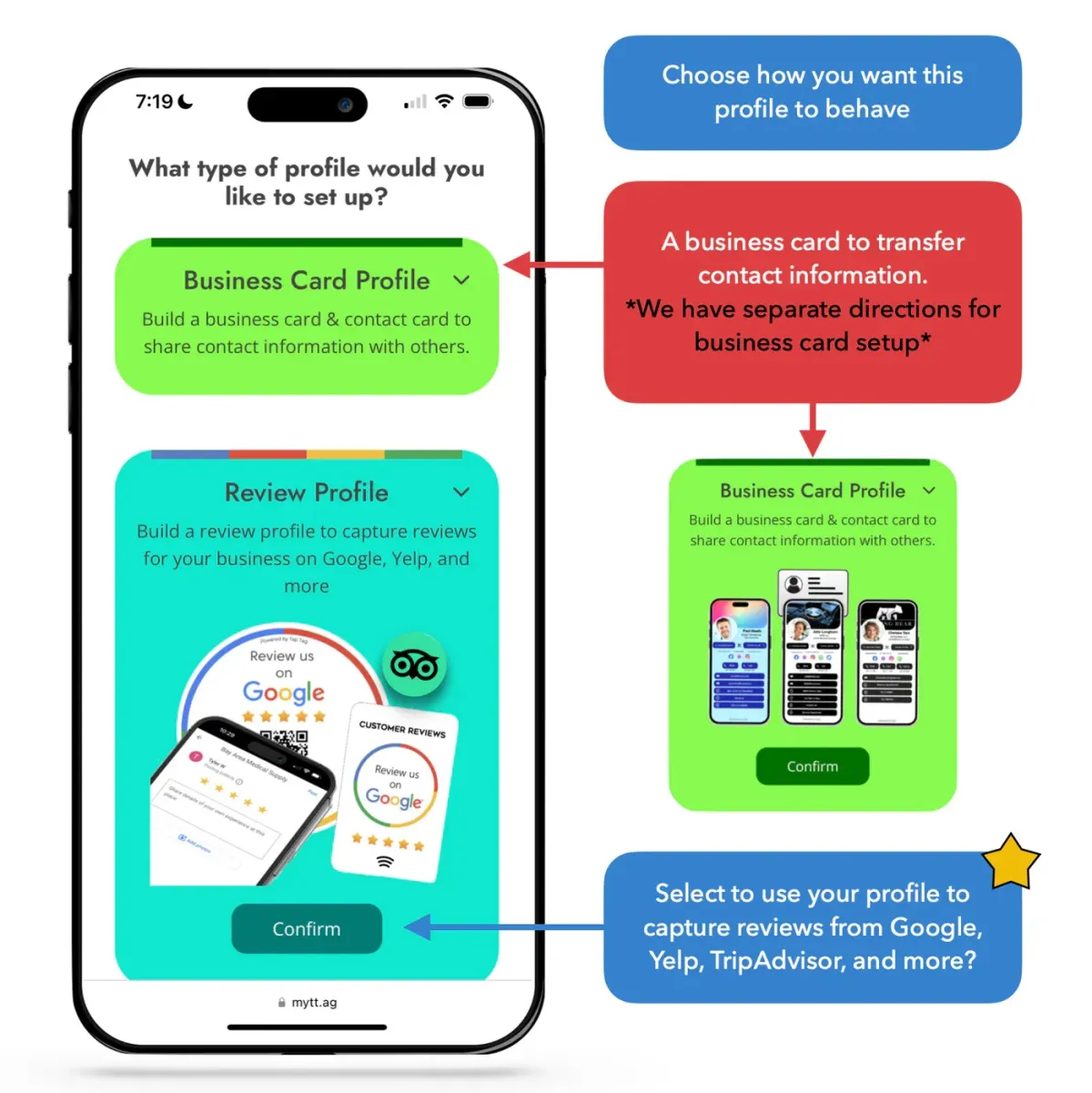
Choose Platform
We offer two different systems that your Tap Tag can run off of, choose the second that says "Review Profile."
Digital Business Card platform: For those that want to use their Tap Tag like a business card. Clients that scan your Tap Tag will be able to save your contact information into their phone, view your socials, websites, and more.
Review Capture platform: For those that want to capture reviews for their business from Google, TrustPilot, TripAdvisor or any other review platforms.
Step 4:
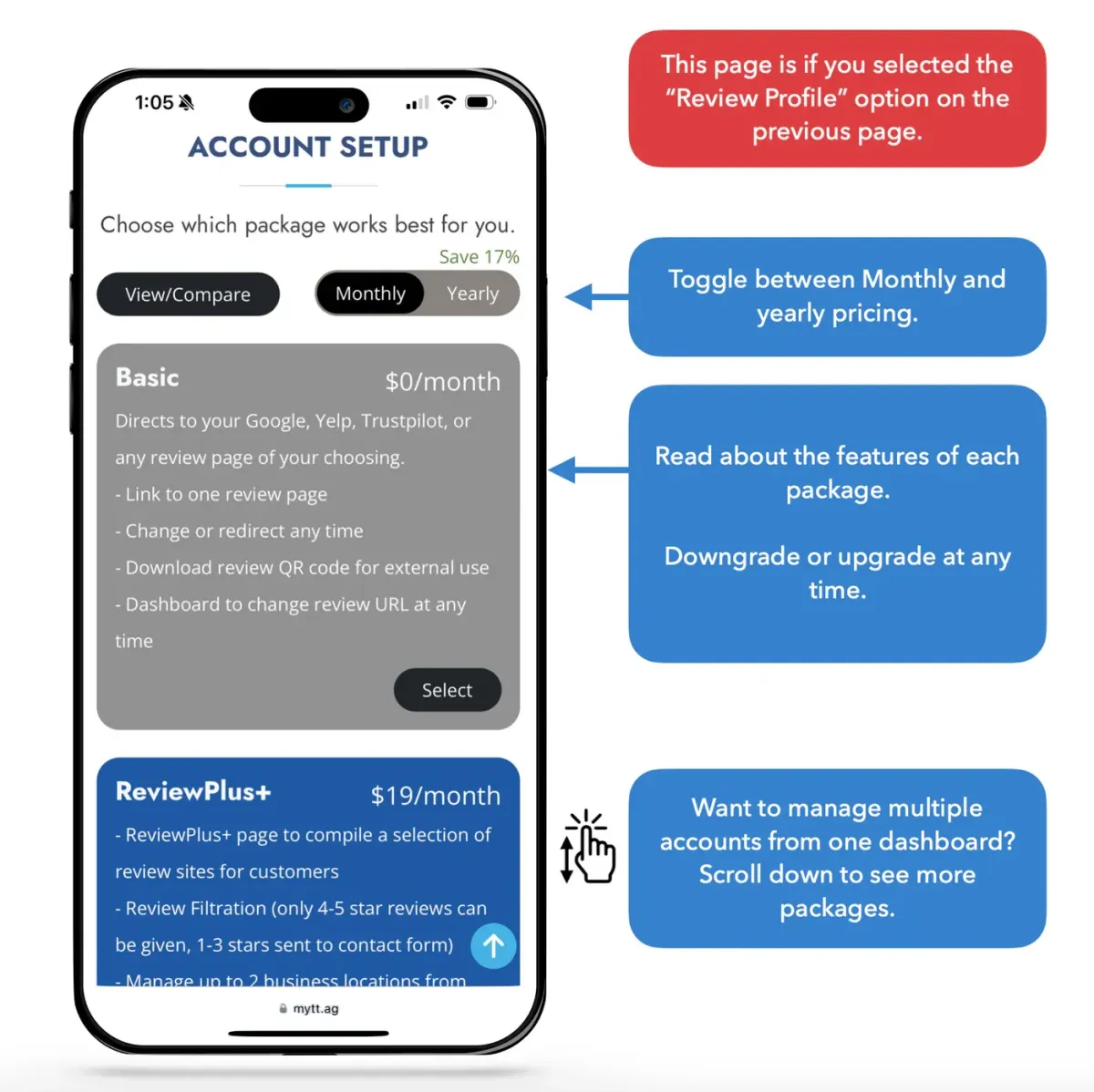
Choose Package
Take a moment to read through the features we offer. More information below.
Step 5:
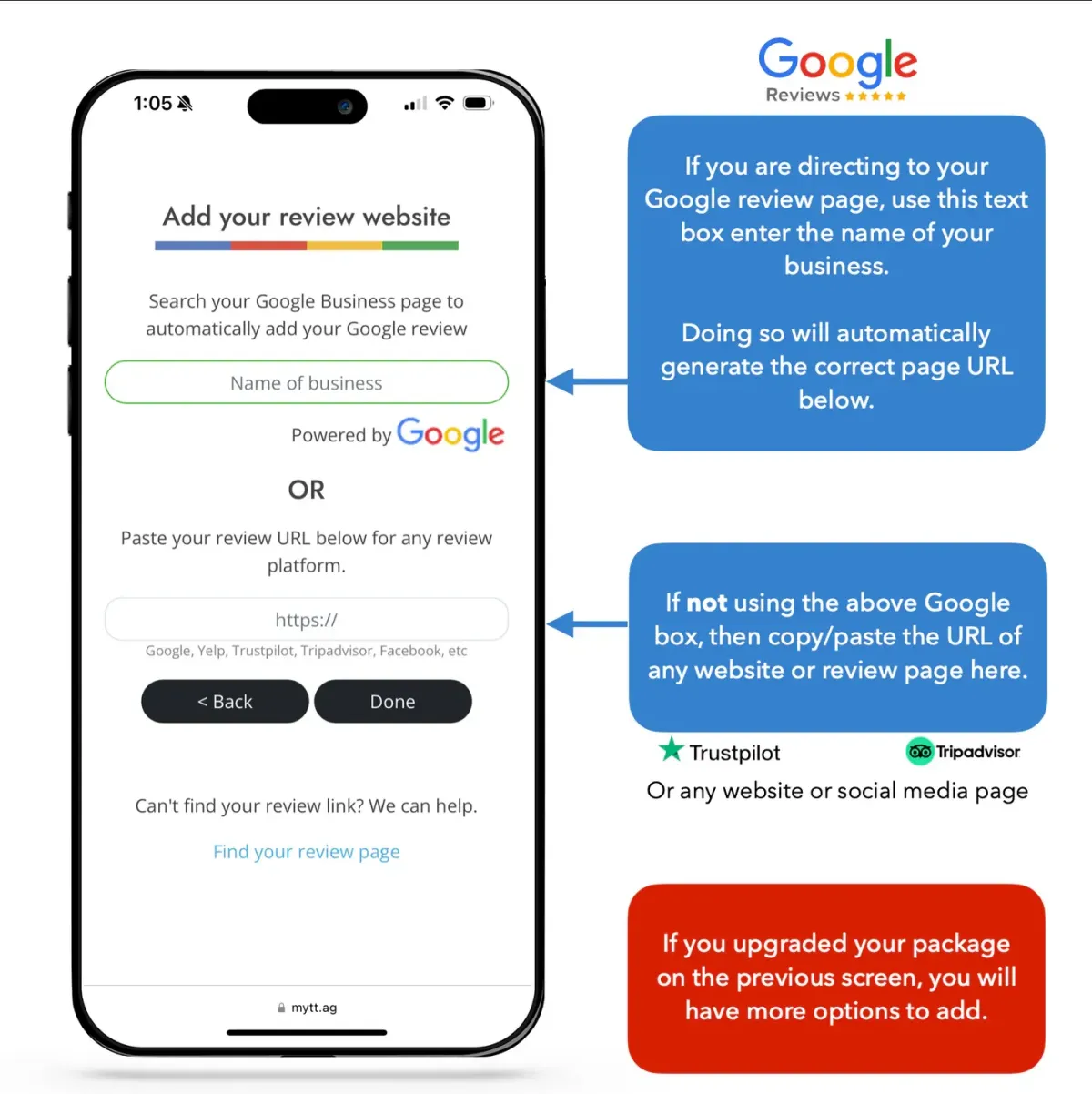
Choose a URL to direct to
Here you will choose what clients see when your Tap Tag is scanned.
We integrate directly with Google, so if you want to add your Google review page type the name of your business into the first box and select the correct location from the dropdown.
Done!
Tap this completion screen to see your profile live for the first time, this is how others will see it too.
You can edit or manage your profile, redirect it, or download your QR code from any computer, all updates affect your Tap Tag in realtime.
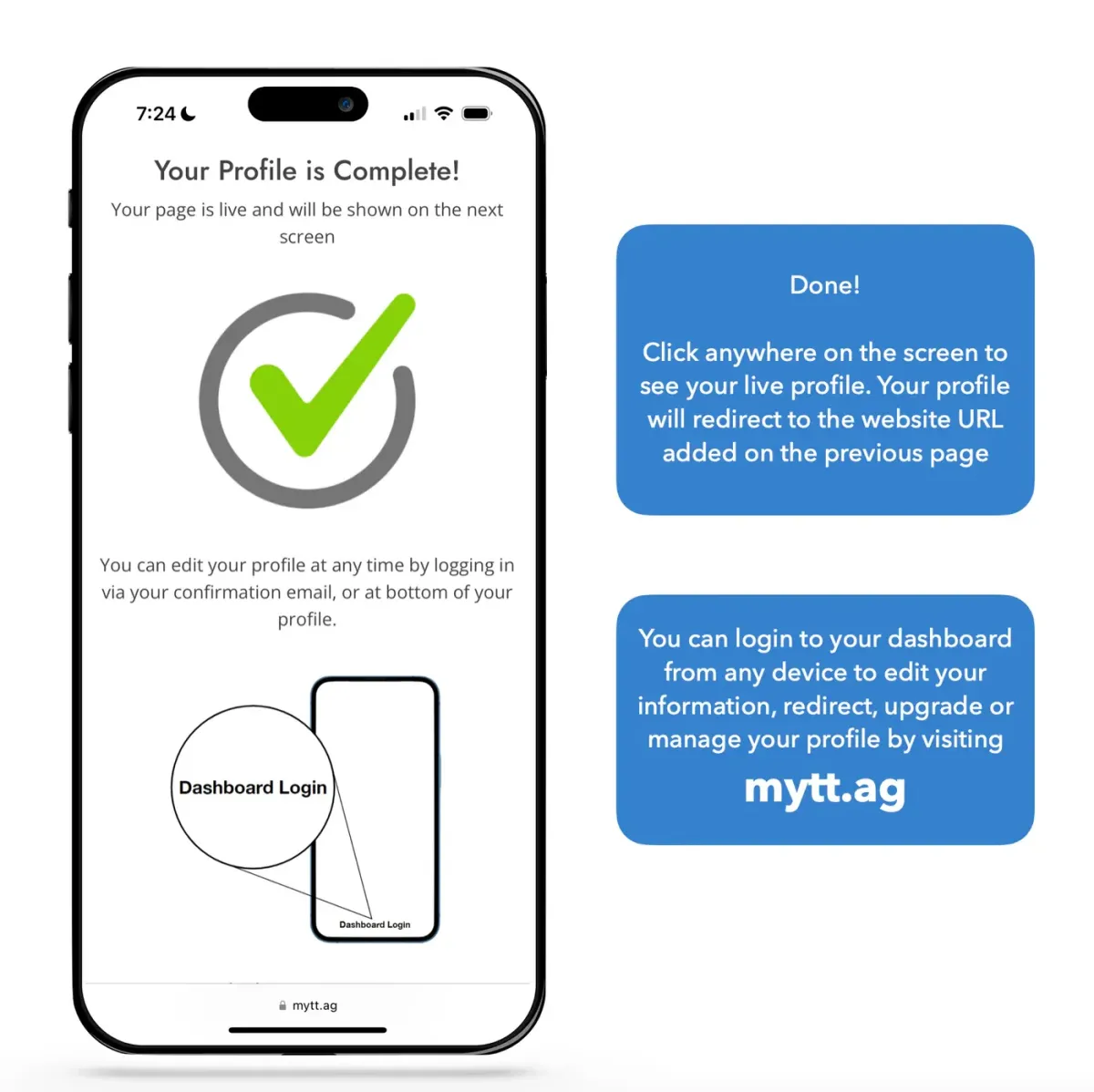
Done!
Tap this completion screen to see your profile live for the first time, this is how others will see it too.
You can edit or manage your profile, redirect it, or download your QR code from any computer, all updates affect your Tap Tag in realtime.
Pairing or adding Tap Tags
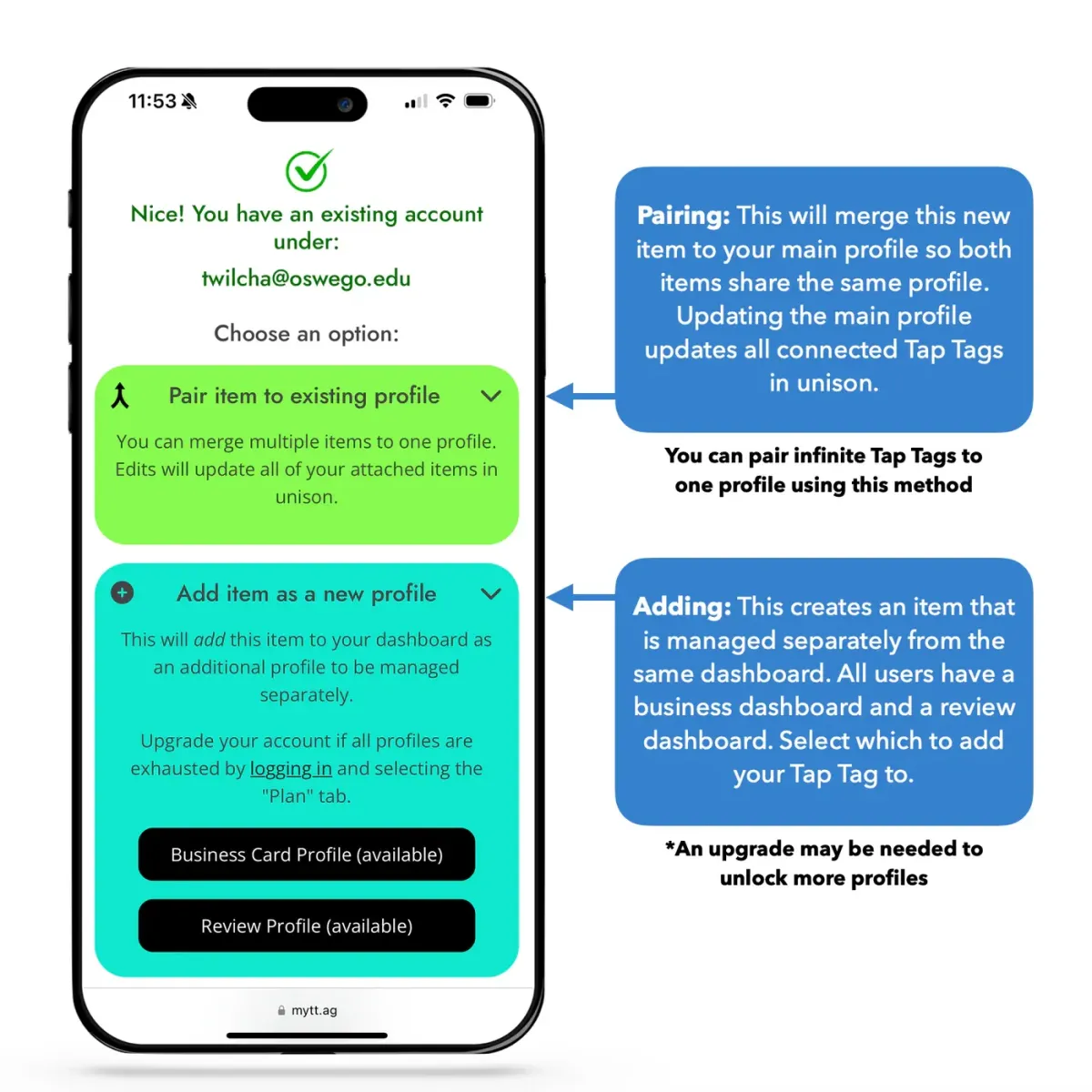
You can merge Tap Tags together to act as one, or setup as separate entities managed from the same dashboard.
To initiate, enter your previously-created login credentials on the setup screen where it says "Create account or Login." The system will detect that you already exist and offer the options shown here.
Pair: This will merge this new item to your existing profile so both profiles update in unison, both serving the same profile. See full direction on pairing here.
Add: This adds the item to your profile to be managed as a separate entity. An upgrade may be needed for this option. See full directions about adding here.
The Dashboard
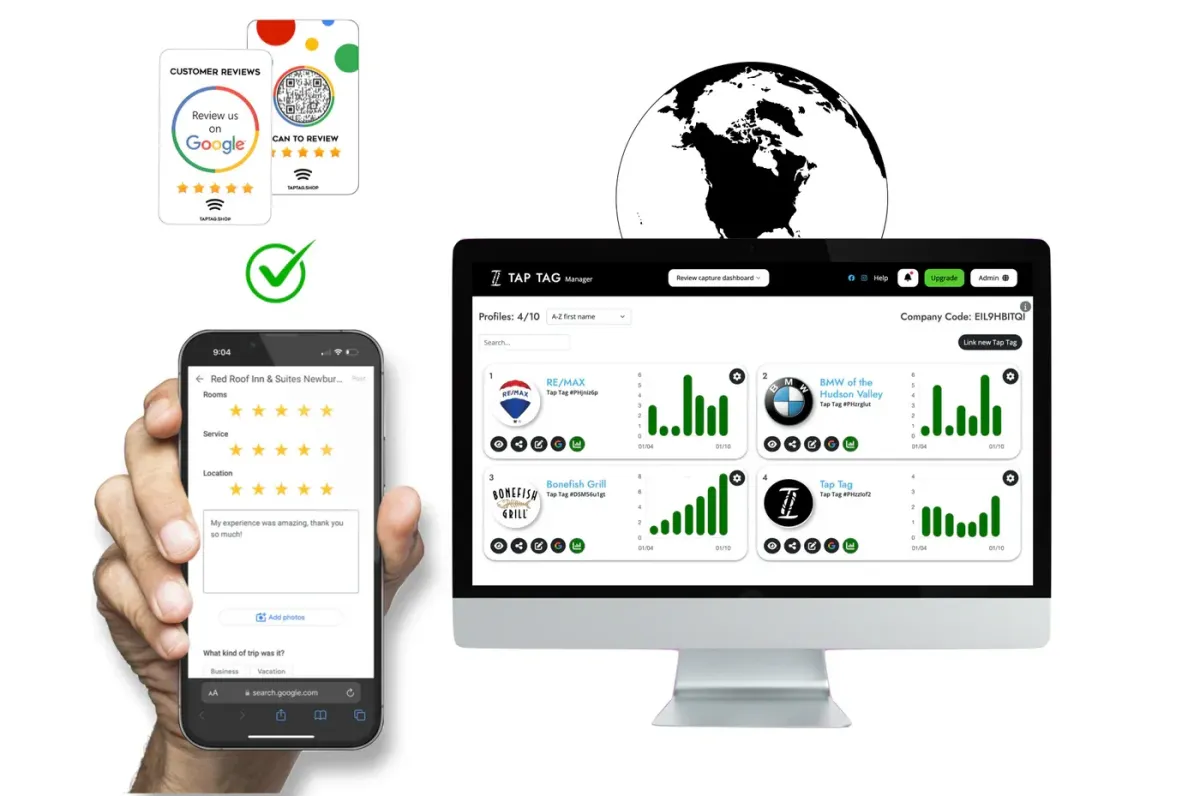
After creating your first profile, you can log in from any device to edit your information. Any edits will affect your Tap Tag(s) remotely in real time. It will also affect any printed QRs, links, or items associated with your edited profile.
Set up in seconds
Getting started is quick and simple.
Tap or scan your GrayTap product, create your login, connect your review page, and you’re ready to go.
No technical setup. No complicated steps. Just a system that works.
TESTIMONIALS
What others are saying
“We run a busy dental practice, and asking patients for reviews always felt awkward and inconsistent. Since using GrayTap, it’s become part of our normal flow. Patients tap, leave a review in seconds, and we’ve seen a noticeable jump in our Google rating. It’s honestly taken a lot of pressure off our team while improving how we show up online.”

“As a salon owner, reputation is everything. Before this, we had so many happy clients but barely any reviews to show for it. Now, right after an appointment, we just hand over the card and it’s done. The number of 5-star reviews we’ve received in the last month alone has been incredible. It finally feels like our online presence matches the quality of our work.”

“In our line of work, you finish the job and move on quickly, so reviews were always an afterthought. GrayTap made it effortless. My technicians just tap the card before leaving, and customers respond right away. We’ve seen more reviews in a few weeks than we used to get in months—and it’s definitely helped us win more local jobs.”

“Managing reviews across multiple locations used to be a nightmare. Some branches were doing well, others not so much, and there was no consistency. GrayTap gave us a simple system we could roll out everywhere. Now we’re seeing steady growth across all locations, and I finally feel like we have control over our brand reputation.”

“We started including the GrayTap cards in our packages, and the difference was immediate. Customers who would normally never leave a review are now actually doing it. What surprised me most is how it also brought people back—we’re seeing more repeat customers along with the reviews. It’s such a simple addition, but the impact has been huge.”

“This helped us turn everyday interactions into real results. More reviews, better visibility, and honestly, more confidence in how our business shows up online.”
Where to scan
iPhone
On an iPhone, the NFC reader is located in the very top center of the phone, right behind the front-facing camera. The tag will scan from the frontside or backside of phone.
NFC is always on, starting at the 2018 iPhone XR and newer.
The phone must be unlocked to scan. Sometimes the always-on display of newer iPhones is misleading. Make sure the user unlocks the phone, or it will not scan.
Where to scan
Android
Most Android devices scan from the center-backside of the phone.
NFC can be toggled on/off in settings, so make sure your NFC is turned on. This will be in settings next to Bluetooth and Wifi.
NFC defaults to on. Phone must be unlocked to scan.
Compatible with most
smartphones
Most smartphones that were released since 2018 have NFC by default. Check to see if your phone is compatible.
Optional Upgrade
Church Tag Management
A solution for churches to link physical tap products to existing giving services, interact with members, and spread their message message.
TESTIMONIALS
What others are saying
“We run a busy dental practice, and asking patients for reviews always felt awkward and inconsistent. Since using GrayTap, it’s become part of our normal flow. Patients tap, leave a review in seconds, and we’ve seen a noticeable jump in our Google rating. It’s honestly taken a lot of pressure off our team while improving how we show up online.”
“As a salon owner, reputation is everything. Before this, we had so many happy clients but barely any reviews to show for it. Now, right after an appointment, we just hand over the card and it’s done. The number of 5-star reviews we’ve received in the last month alone has been incredible. It finally feels like our online presence matches the quality of our work.”
“In our line of work, you finish the job and move on quickly, so reviews were always an afterthought. GrayTap made it effortless. My technicians just tap the card before leaving, and customers respond right away. We’ve seen more reviews in a few weeks than we used to get in months—and it’s definitely helped us win more local jobs.”
“Managing reviews across multiple locations used to be a nightmare. Some branches were doing well, others not so much, and there was no consistency. GrayTap gave us a simple system we could roll out everywhere. Now we’re seeing steady growth across all locations, and I finally feel like we have control over our brand reputation.”
“We started including the GrayTap cards in our packages, and the difference was immediate. Customers who would normally never leave a review are now actually doing it. What surprised me most is how it also brought people back—we’re seeing more repeat customers along with the reviews. It’s such a simple addition, but the impact has been huge.”
“This helped us turn everyday interactions into real results. More reviews, better visibility, and honestly, more confidence in how our business shows up online.”
Everything is built to grow with your business, without adding complexity.
How It Works
1
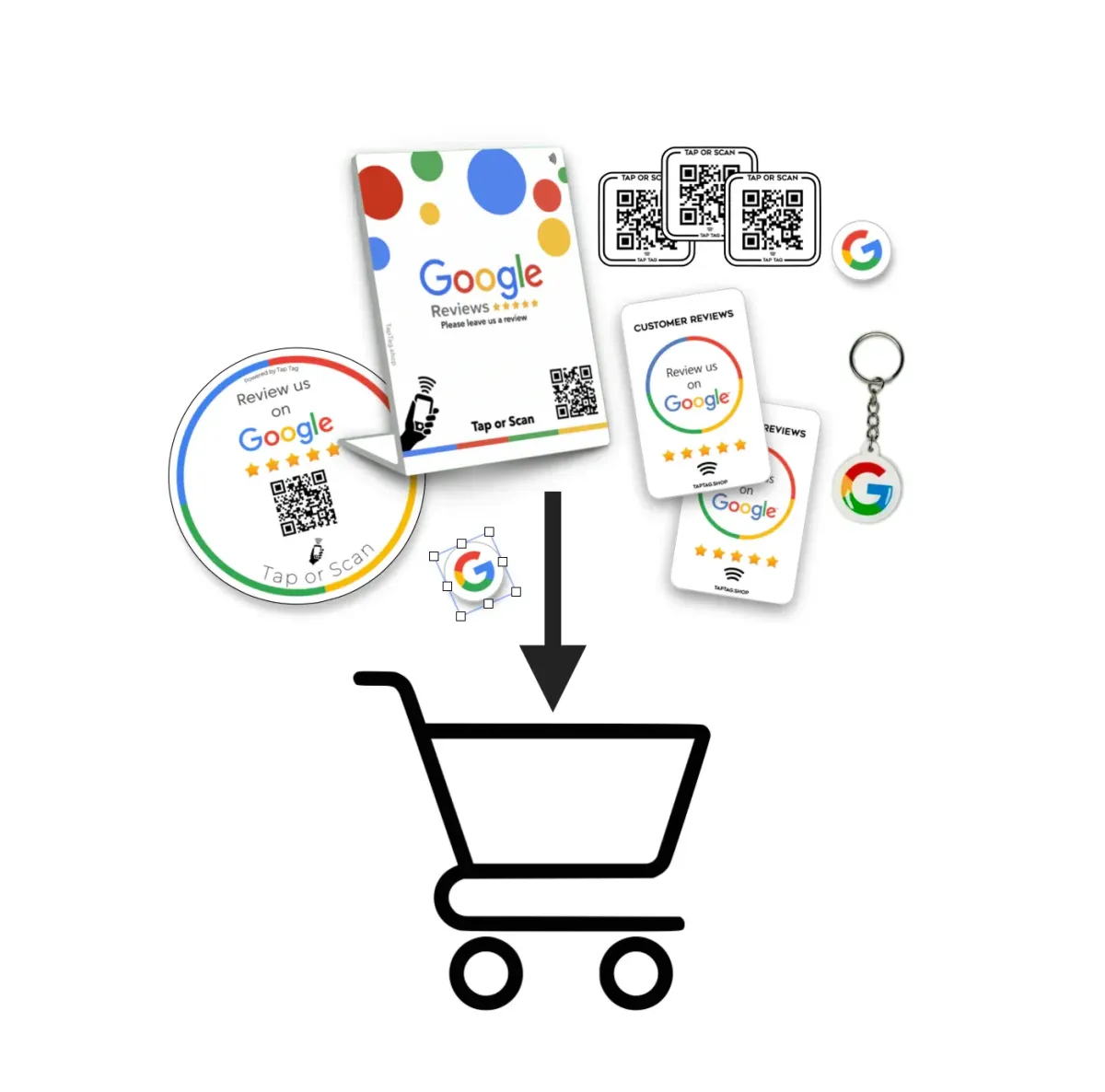
Choose your GrayTap product each one connects to your review page in a format that fits your business.
2
Receive your order quickly, ready to use right out of the box.
3
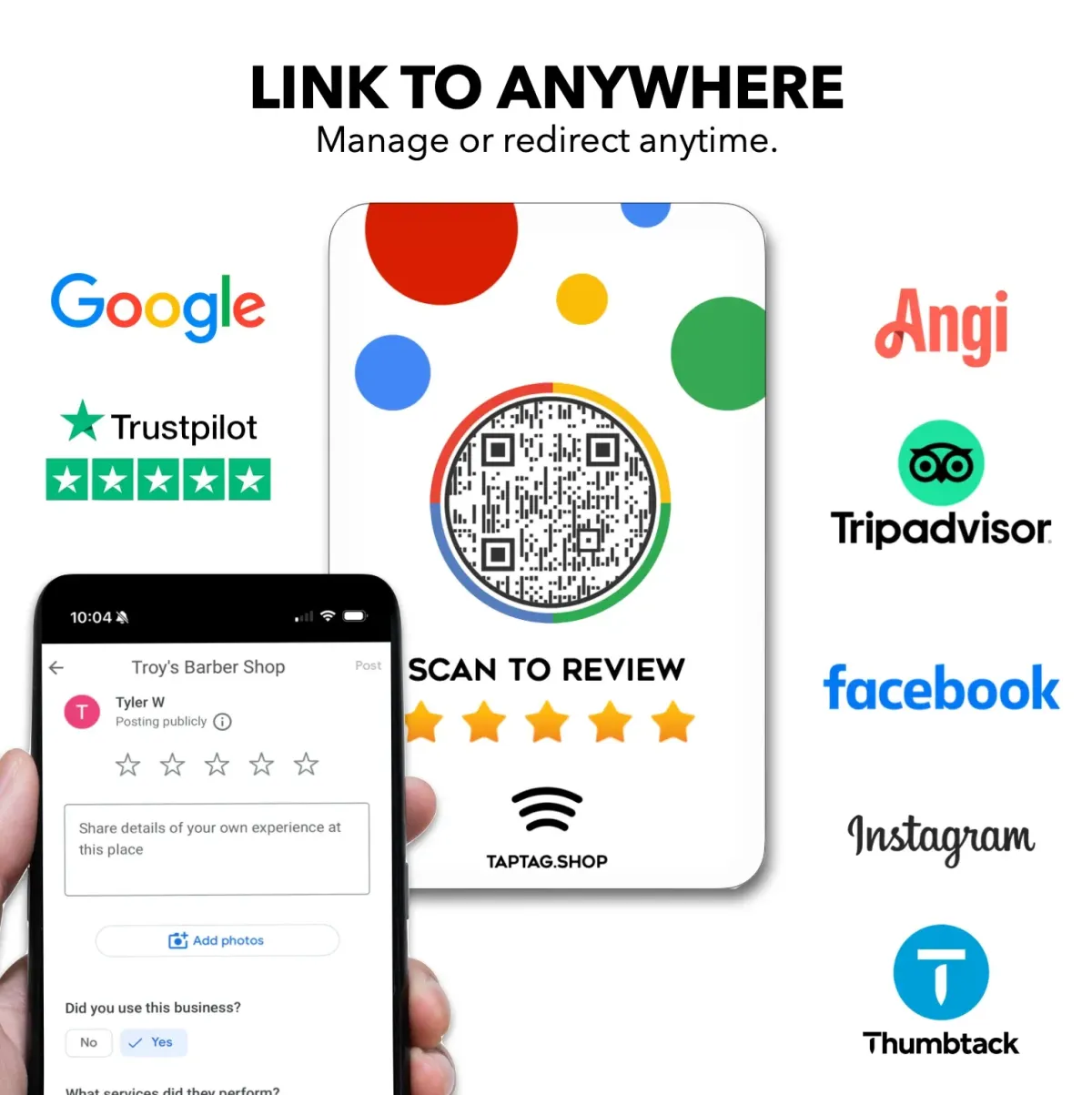
Tap or scan your device to set up and connect it to your review page.
4
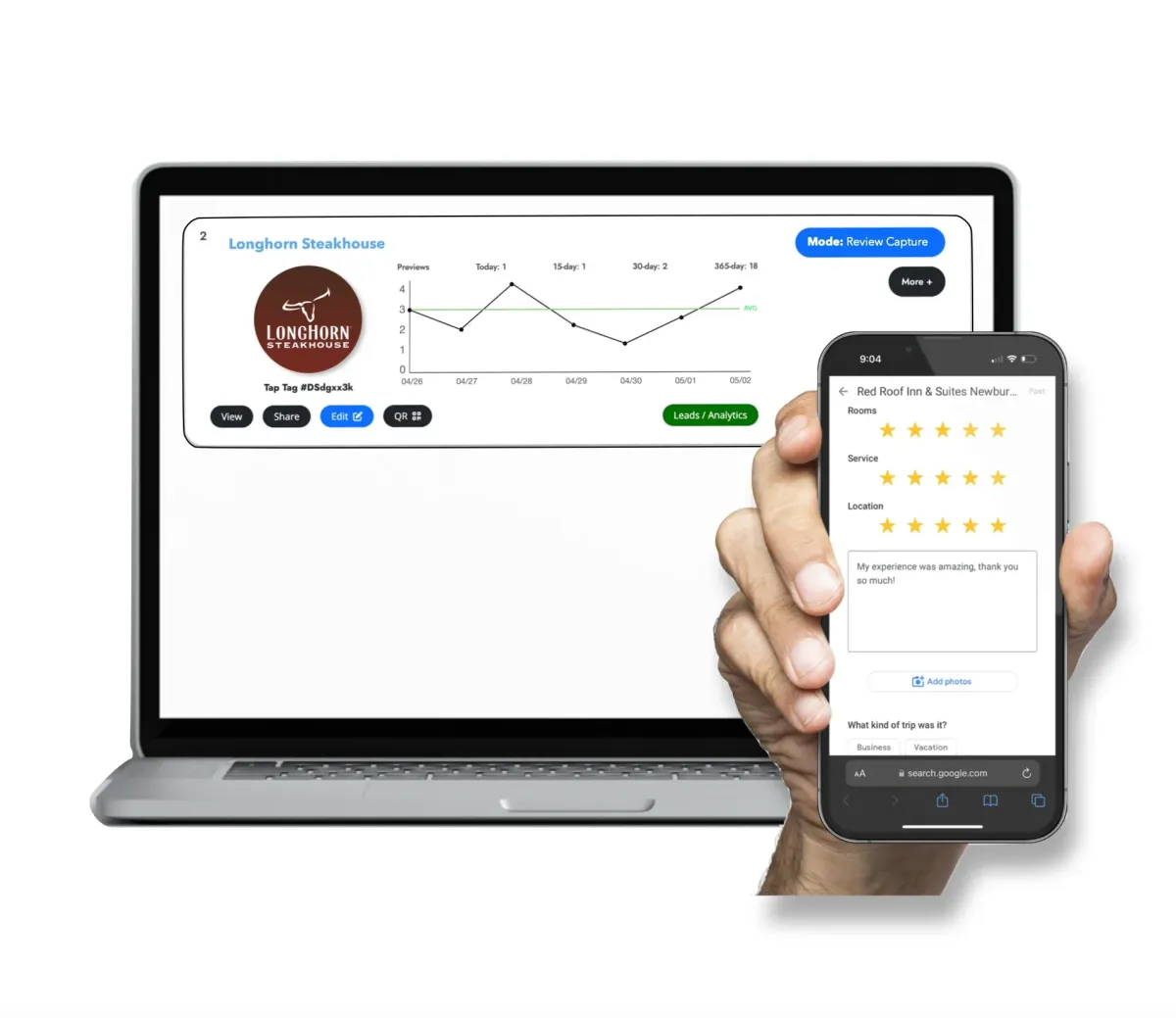
Start collecting reviews and manage everything from your dashboard.
Clean. Simple. Effective.
Everything you need to grow your reviews—built into one system.
How It Works
Is This Service Free? What's The Catch?
Our service is free. Both the business card platform and the review platform have a completely free version packed with useful features. Optional upgrades available for Teams or advanced users.
Click a system below on this page to learn more about free vs paid features.
No strings attached. No catch. Over 100,000+ users use our free services daily.
How do I setup or Log in?
You can login or create an account here.
When your Tap Tags arrive you can pair it to your pre-setup account, or you can create the account on arrival. At setup, you will be able to choose which software you want. The options available are lower on this page.
Can I manage team users?
Yes! Scroll down to view the Team solution we offer.
You may also test out our individual free account and upgrade to Teams any time.
Can I Upgrade/Download anytime? (Contracts)
You can edit your plan at any time.
We offer monthly and yearly pricing for upgraded services. Start on the free plan then upgrade at any time, then downgrade at any time. No contracts, even for our enterprise users.
Can anyone signup or do I have to purchase a product?
Anyone can sign up. You may create an account any time then pair physical product later if you decide.
Does GrayTap own this system?
Yes, we built our system from the ground up to help accompany our products. Our software is unique and proprietary.
Built using advanced technology with the highest-end servers.

How It Works
At setup you will choose which system you want to use with your Tap Tag. There are 3 options to choose from, each containing different features.
Create an account now to merge it with your Tap Tags later, or set up after your items arrive.
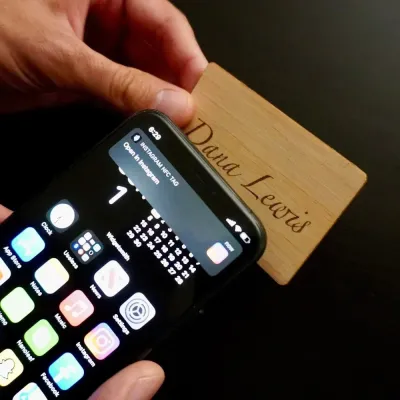
GrayTap NFC Business Cards →
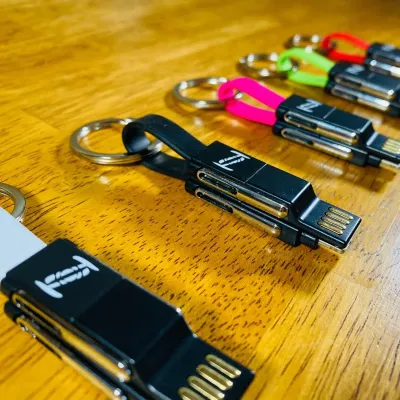
Non Taps →
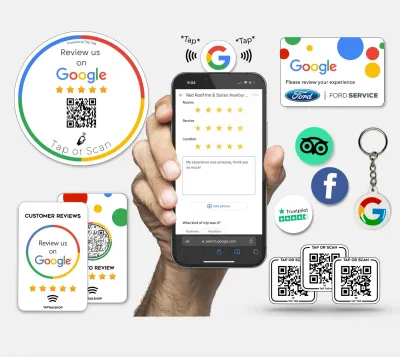
Save with Bundles & Multipacks →
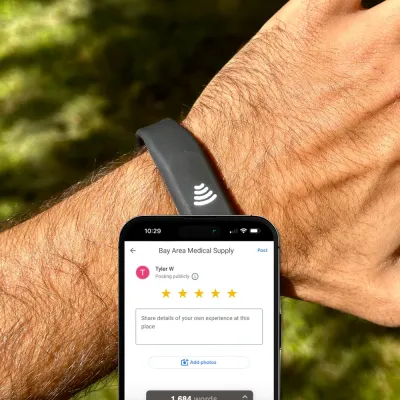
GrayTap NFC Wearables →
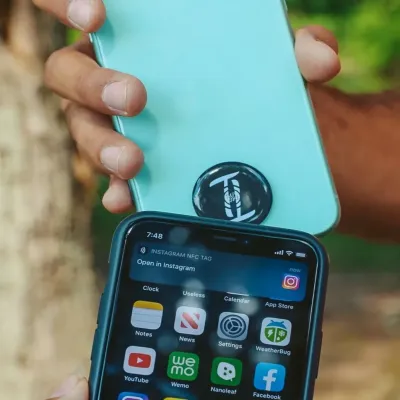
GrayTap NFC Sticky Tags & Signs →
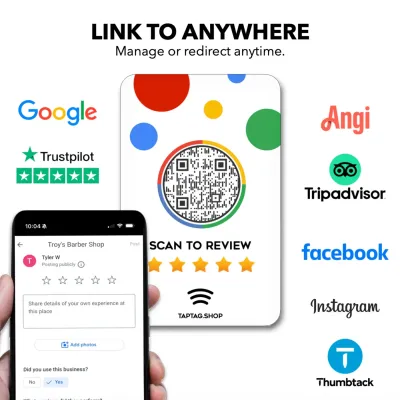
GrayTap Review Items →
Samples →
NFC Tags & Keychains →
GrayTap Multipack →
Custom Items →
GrayTap Church →
GrayTap Cards →
GrayTap Signage →
Clearance →
GrayTap Cards →
Blogs

Top 5 Advantages of NFC Tap Technology for Churches
Churches today are seeking anything that will allow them to reach their congregation where they are—at their phones. One of the most impactful innovations that are revolutionizing the lives of church-... ...more
Online Reviews
March 18, 2026•3 min read

The Ultimate Guide to Building a Winning Digital Marketing Strategy
In today’s competitive landscape, having a well-defined digital marketing strategy is essential for success. A strategic approach ensures that your efforts are focused, measurable, and aligned with yo... ...more
digital-marketing-guide
January 24, 2025•2 min read

Top Social Media Trends to Watch for 2025
Social media is constantly evolving, and staying ahead of trends is crucial for businesses to remain competitive. This blog covers the top social media trends that are shaping the marketing landscape ... ...more
social-media-trends-2025
January 24, 2025•2 min read

10 Proven SEO Strategies for Organic Growth
Search Engine Optimization (SEO) is a vital tool for driving organic traffic to your website. It ensures your site ranks higher on search engines, making it easier for potential customers to find you.... ...more
seo-strategies-growth
January 24, 2025•3 min read

Content Marketing: The Secret to Building Brand Authority
Content marketing is a powerful way to establish your brand as a thought leader. By delivering value through high-quality content, you can build trust, increase visibility, and drive meaningful engage... ...more
content-marketing-authority
January 24, 2025•2 min read
Over 68M+
Digital business card profile views
Thats a lot of paper business cards saved for the environment, and a lot of cost savings for you.
38K+
Reviews captured using our system
GrayTap has helped thousands of businesses boost their online reputation.
115k+
Leads captured through our system
Get a better ROI than a traditional paper card. Our system works for you to maximize output.
CONTACT US
Call Center:
076 570 6846
ACCOUNT
FINANCING
OUR COMPANY
HELP CENTER
SUBSCRIBE TO OUR NEWSLETTER
Subscribe to Newsletter
FOLLOW US ON SOCIAL MEDIA


© Copyright 2026. GrayTap Reviews. All Rights Reserved.
GrayTap helps businesses turn real customer experiences into consistent 5-star reviews—using simple tap technology and a system that works automatically in the background.